GNSS spoofing using SDR
First of all, sending false GNSS signals on the air is illegal in most countries. You must have a controlled RF environment (Faraday cage or such) to perform GNSS spoofing experiments. A box covered with aluminum foil with copper tape in all joints works quite well, but be sure everything (holes for cables, joints etc) are properly shielded.
The best is to not transmit to open air at all, but using coax cables only.
What is GNSS spoofing?
GNSS spoofing is the act of sending false GNSS signals to a GNSS receiver, making it believe that it is in a different location or time than it actually is. GNSS signals are weak, around -125 dBm, and can be easily overpowered by a stronger signal.
As you can imagine, GNSS spoofing could really mess things up for services that rely on GNSS for positioning. For example, I have an airport ~10km from my home which relies on GNSS for sure, so I'm extra careful when doing GNSS spoofing experiments here.
But why?
This is actually somehow work related. GNSS reception inside is poor and undeterministic and that not optimal when working with GNSS related projects.
Usually you use GNSS simulators for such thing, but those are quite expensive. Using a SDR to do the same job is a cheap alternative.
The hardware
HackRF One
For this project I use a HackRF One [1] SDR, which is a cheap and versatile SDR that can transmit and receive signals from 1 MHz to 6 GHz.
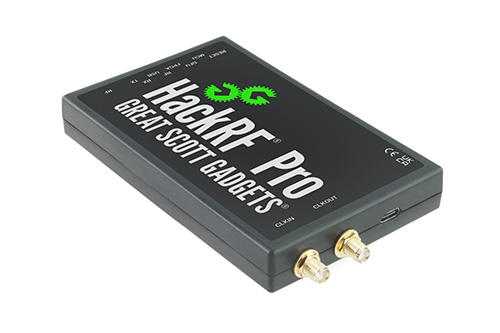
The wide frequency range makes this SDR to be my go-to SDR for most RF projects. I used to use an Ettus USRP2 for a lot of things, but the HackRF is just more convenient to use.
Unfortunately, the HackRF One does not have a built-in TCXO (Temperature Compensated Crystal Oscillator), which makes it less suitable for GNSS applications, as GNSS signals require a very stable frequency reference. This is easily solved by adding an external TCXO module to the pin header on the device.
To do this, you will need a 10MHz TXCO with a frequency stability of at least +- 2.5ppm. A FOX924B-10.000 [4] is a good choice.
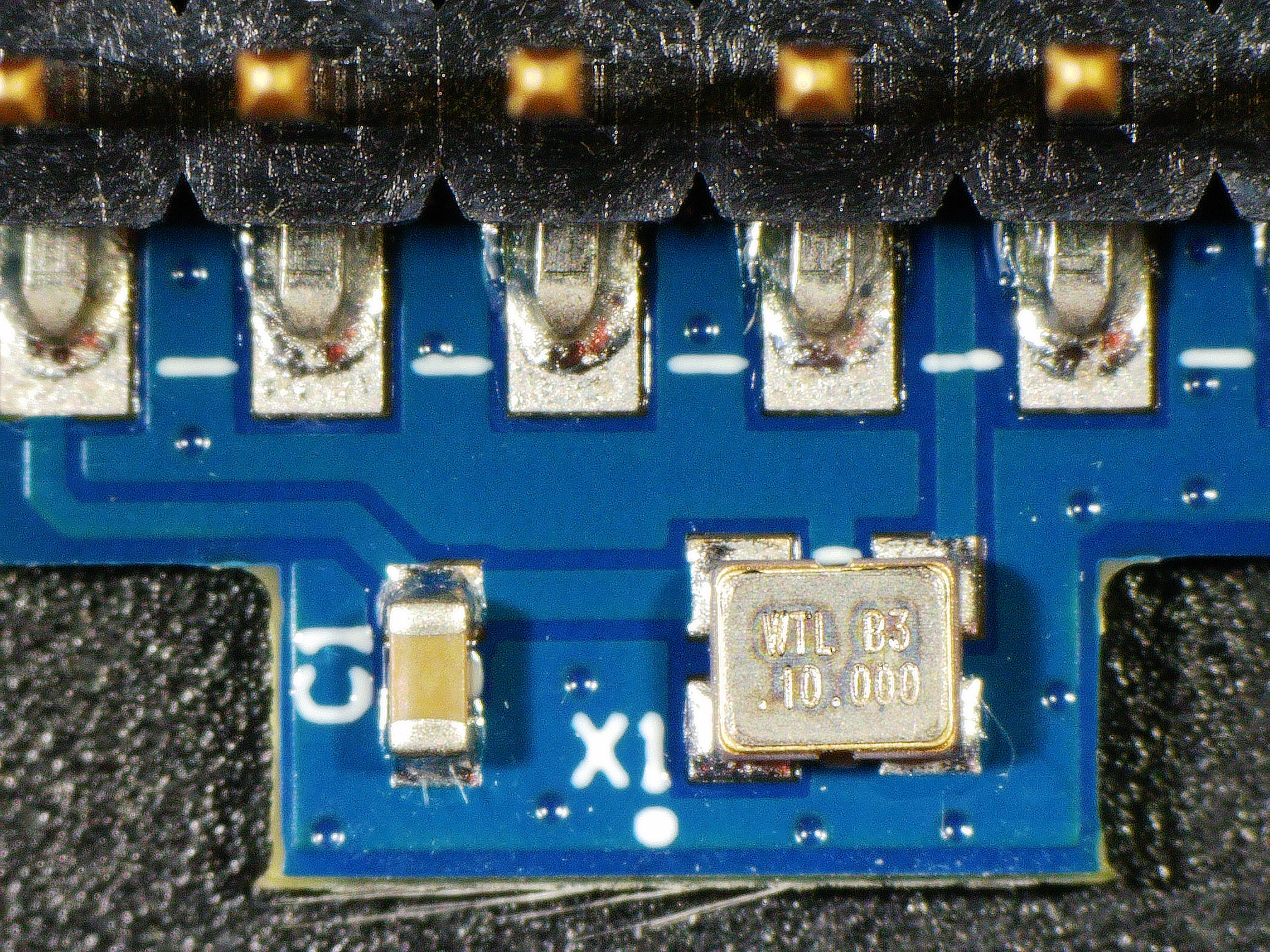
The gps-sdr-sim [3] has gerber files available to make your own PCB which is good if you need a few boards, but there are plenty of ready to use modules out there if you only need one. I bought mine from Amazon.
The TXCO module mounted on the HackRF One header:
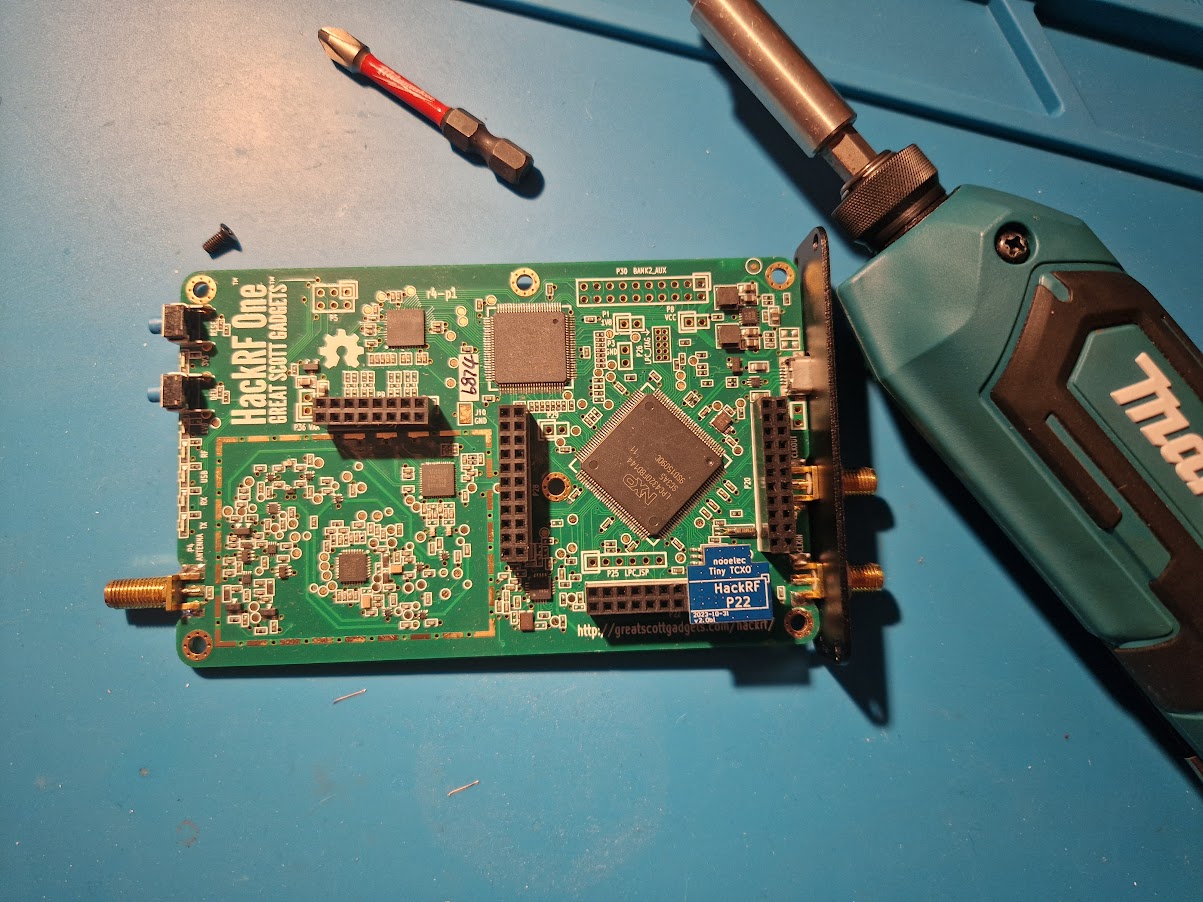
HackRF Pro [2] was recently released and have a built-in TCXO and should have enough stability for GNSS applications out of the box.
Antenna
As already mentioned, It is strongly recommended to transmit all GNSS signals through coax cable, not through the open air. But in some cases that is not possible.
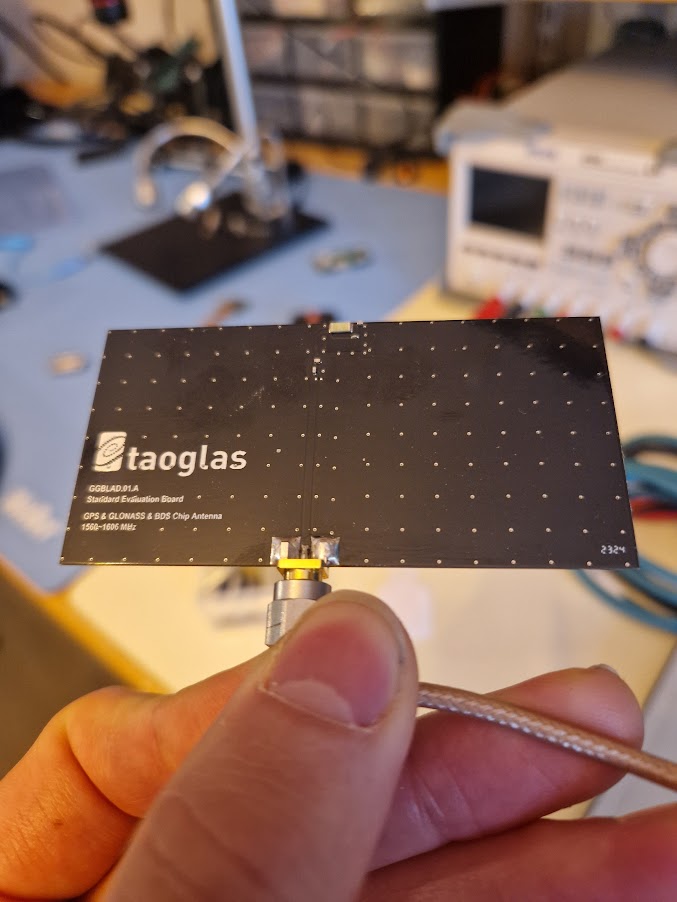
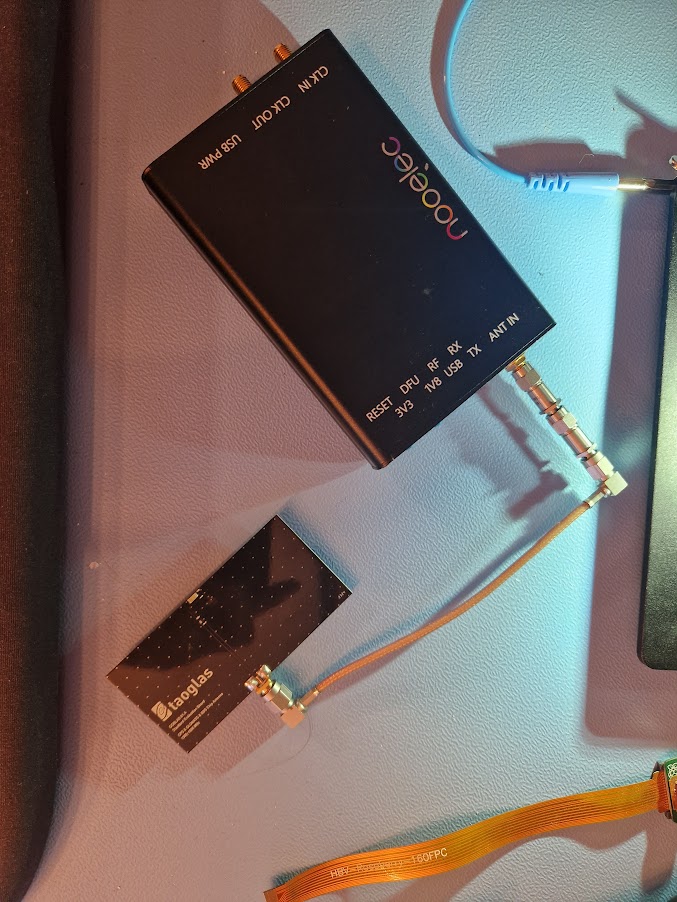
I use a Taoglas Unifier GGBLA-01 [5] antenna. It is a small ceramic patch antenna mounted on an EVK board.
Attenuators
GNSS signals are very weak and receivers are designed to receive such weak signals. Transmit too strong signals and you may basically damage the GNSS receiver, so attenuation is needed. This applies to both coax and over-the-air transmissions.
Stacking a a few attenuators (down to about -120dB) is a good start.
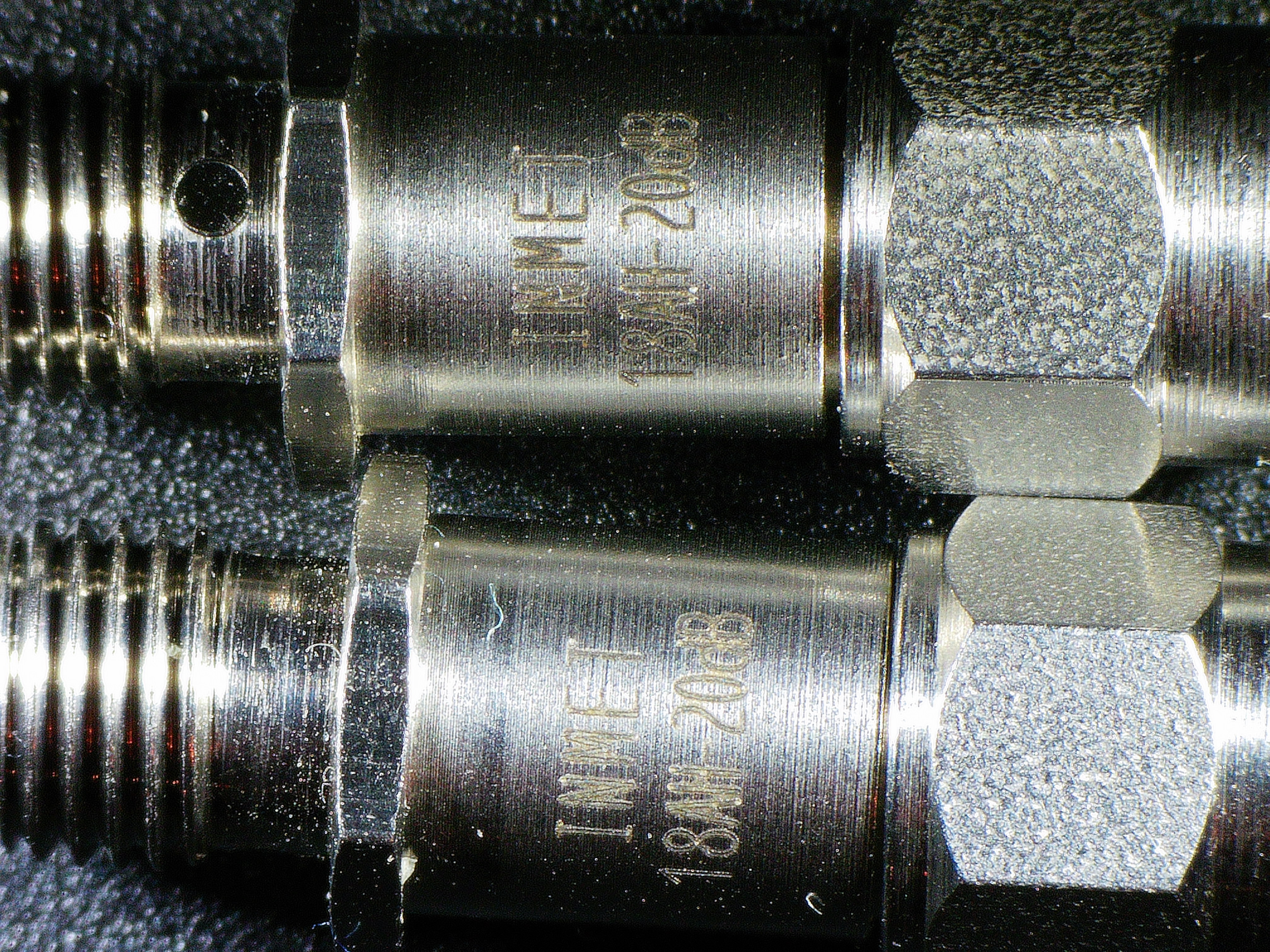
I started with total of -160dBm (60 + 60 + 20 + 20) and succesively reduced the attenuation until the receiver started to lock on the false signals.
Complete setup with 2x60 dBm attenuators:
Software
I use the gps-sdr-sim [6] software to generate the GNSS signals. It natively supports HackRF (and my Ettus USRP2!) as transmitters.
gps-sdr-sim is highly configurable by command line options:
 1Usage: gps-sdr-sim [options]
 2Options:
 3  -e <gps_nav>     RINEX navigation file for GPS ephemerides (required)
 4  -u <user_motion> User motion file in ECEF x, y, z format (dynamic mode)
 5  -x <user_motion> User motion file in lat, lon, height format (dynamic mode)
 6  -g <nmea_gga>    NMEA GGA stream (dynamic mode)
 7  -c <location>    ECEF X,Y,Z in meters (static mode) e.g. 3967283.15,1022538.18,4872414.48
 8  -l <location>    Lat,Lon,Hgt (static mode) e.g. 30.286502,120.032669,100
 9  -L <wnslf,dn,dtslf> User leap future event in GPS week number, day number, next leap second e.g. 2347,3,19
10  -t <date,time>   Scenario start time YYYY/MM/DD,hh:mm:ss
11  -T <date,time>   Overwrite TOC and TOE to scenario start time
12  -d <duration>    Duration [sec] (dynamic mode max: 300 static mode max: 86400)
13  -o <output>      I/Q sampling data file (default: gpssim.bin ; use - for stdout)
14  -s <frequency>   Sampling frequency [Hz] (default: 2600000)
15  -b <iq_bits>     I/Q data format [1/8/16] (default: 16)
16  -i               Disable ionospheric delay for spacecraft scenario
17  -p [fixed_gain]  Disable path loss and hold power level constant
18  -v               Show details about simulated channels
The README [7] has all the information you need, so the next section will just cover the basic usage.
Basic usage
Start with find some coordinates you are interrested in, e.g. from Google Maps or such, then generate I/Q samples for that location.
Here I'm using 35.681298,139.766247, which are the coordinates for Tokyo.
 1$ ./gps-sdr-sim -e brdc0010.22n -b 8  -l 35.681298,139.766247,10
 2Using static location mode.
 3xyz =  -2758918.6,   4772301.1,   3197889.4
 4llh =   30.286502,  120.032669,       100.0
 5Start time = 2022/01/01,00:00:00 (2190:518400)
 6Duration = 300.0 [sec]
 705  109.5  25.1  23283558.2   4.4
 810  310.8  16.7  24209283.1   3.5
 912  152.7   6.0  25200320.7   8.4
1013   50.4  19.4  23690870.6   4.1
1115   39.1  47.4  21230331.2   2.3
1218  251.6  63.3  20658941.9   1.9
1320  122.4   0.8  25557150.3  10.3
1423  327.4  47.1  21529836.4   2.1
1524  143.5  76.2  20016388.8   1.9
1628   58.3   4.2  25558524.3   6.5
1729  202.2   1.5  25614176.8   8.2
1832  256.0   2.5  25602718.7   4.8
19....
Next step is to transmit the generated I/Q samples using hackrf_transfer:
1$ hackrf_transfer -t gpssim.bin -f 1575420000 -s 2600000 -a 1 -x 0That's it! Your GNSS receiver should now lock on the false signals and think it is in Tokyo.
Result
HackRF is a really good substitute for a GNSS simulator - it works pretty really well.
I've mostly used it in my work with GNSS receivers, but I've done some fun experiments too. For example:
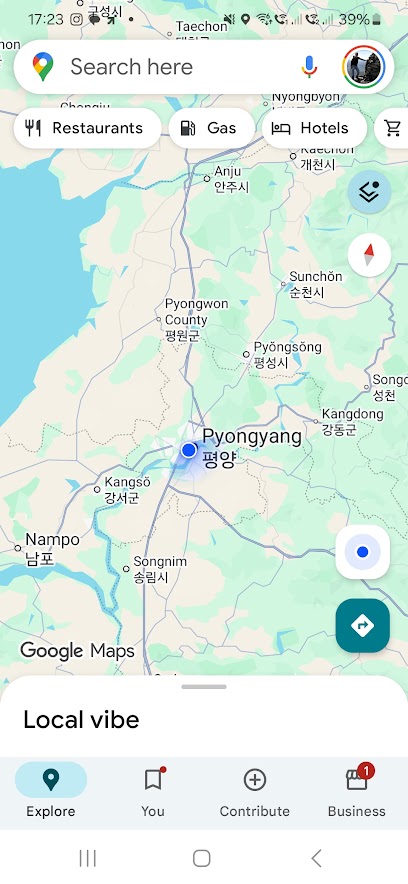
My phone believe I'm in Pyongyang, North Korea:
And here I'm checking out all the Pokémons in central Tokyo:
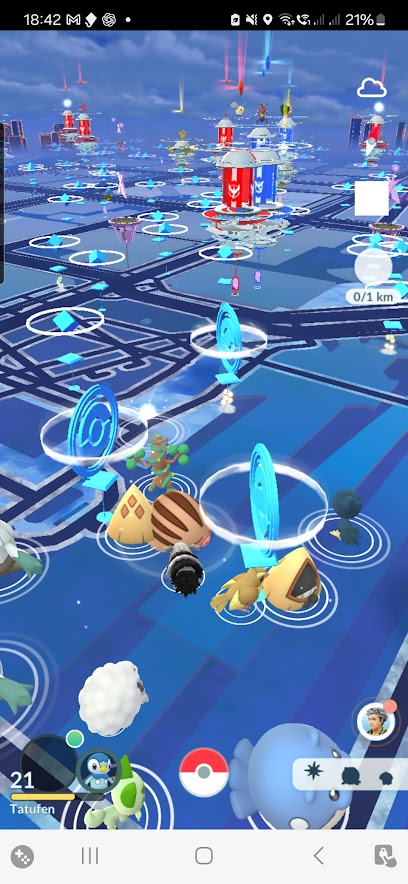
FYI, I used adb exec-out screencap via USB cable to get screenshots from inside my Faraday cage.
References
| [1] | https://greatscottgadgets.com/hackrf/one/ |
| [2] | https://greatscottgadgets.com/hackrf/pro/ |
| [3] | https://github.com/osqzss/gps-sdr-sim/tree/master/extclk |
| [4] | https://www.digikey.com/en/products/detail/FOX924B-10.000/631-1067-1-ND/1024772 |
| [5] | https://www.taoglas.com/product/evaluation-board-for-unifier-ggbla-01-gps-glonass-galileo-beidou-ceramic-loop-antenna-3-21-60-5mm/ |
| [6] | https://github.com/osqzss/gps-sdr-sim |
| [7] | https://github.com/osqzss/gps-sdr-sim/blob/master/README.md |